Shot blasting machine faults cause downtime; quick troubleshooting ensures stable shot blasting and machine shot operations.
This guide details quick troubleshooting methods for common shot blasting machine faults, helping you resolve issues efficiently and maintain smooth shot blaster and machine shot performance.
Explore common faults, causes and step-by-step troubleshooting tips for shot blasters below.
What Are the Common Faults of Shot Blasting Machines and Their Basic Troubleshooting Principles?
Shot blasting machines, as core equipment for shot blasting and machine shot operations, are prone to various faults due to long-term high-load operation, improper use, or lack of maintenance. Common faults include impeller jamming, uneven shot blasting effect, abrasive blockage, abnormal noise/vibration, and electrical system failures.
Mastering basic troubleshooting principles is the premise of quick fault resolution:
- Follow the “from simple to complex” principle—check external factors (such as power supply, abrasive supply) before disassembling internal components of the shot blaster.
- Adhere to the “safety first” principle: cut off the power supply and stop the machine completely before troubleshooting to avoid injury from sudden startup or machine shot splashing.
- Focus on “symptom-oriented” troubleshooting: observe the fault symptom carefully (such as abnormal noise, reduced shot blasting intensity) to locate the possible cause quickly.
Additionally, prepare basic tools (such as wrenches, screwdrivers, and pressure gauges) and keep a maintenance record to summarize experience and avoid repeated faults. Familiarizing yourself with these principles can reduce troubleshooting time by 40% and minimize damage to the shot blasting machine.
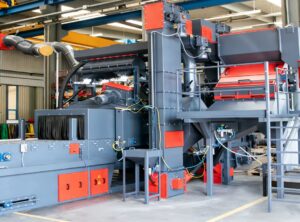
How to Troubleshoot Impeller Jamming and Abnormal Rotation Faults in Shot Blasters?
The impeller is the core component of a shot blasting machine that drives machine shot acceleration, and impeller jamming or abnormal rotation is a common fault that directly affects shot blasting efficiency.
- Ientify the fault symptom: the shot blaster fails to start normally, or the impeller rotates with abnormal noise and slow speed. Common causes include: excessive abrasive accumulation in the impeller, mixing of foreign objects (such as bolts, iron scraps) in machine shot, worn impeller blades or shot wheel, and insufficient lubrication of the impeller bearing.
- Troubleshooting steps: first, cut off the power supply, open the inspection door of the shot blasting machine, and clean the abrasive and foreign objects in the impeller and shot wheel to eliminate blockage. Second, inspect the impeller blades and shot wheel for wear or deformation—replace severely worn parts to ensure balanced rotation. Third, check the lubrication of the impeller bearing: if the bearing is dry or short of oil, add high-temperature resistant grease; if the bearing is worn or stuck, replace it promptly. Fourth, after cleaning and maintenance, conduct an idle test run: start the shot blaster and observe the impeller rotation—if it runs smoothly without noise, the fault is resolved. Regular cleaning of machine shot and inspection of the impeller can effectively prevent this fault.
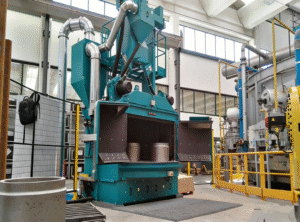
How to Troubleshoot Uneven Shot Blasting Effect and Insufficient Machine Shot Intensity?
Uneven shot blasting effect (such as partial workpiece surface not cleaned) and insufficient machine shot intensity are common faults that affect processing quality, often caused by improper parameter adjustment or component wear. Common causes include: uneven abrasive flow rate, worn or blocked shot blaster nozzle, improper impeller speed, uneven machine shot particle size, and insufficient air pressure (for air blast shot blasting machines). Troubleshooting steps:
- Check the abrasive supply system—ensure the abrasive hopper is full, the feeding valve is unobstructed, and adjust the flow rate to 70-80% of the rated capacity to ensure uniform feeding.
- Inspect the nozzle: clean the blocked nozzle or replace the worn nozzle (if the inner diameter is enlarged by more than 10%) to ensure uniform machine shot spraying.
- Adjust the impeller speed: use a variable frequency drive to calibrate the speed to 1500-2000rpm, ensuring sufficient machine shot acceleration.
- Check the machine shot quality: filter out impurities and worn abrasives, ensure uniform particle size (0.8-2.0mm) to avoid uneven impact.
- For air blast models, check the air pressure and adjust it to 0.6-0.8MPa to ensure stable machine shot intensity. After adjustment, conduct a test shot blast on a sample workpiece to confirm the effect is uniform and up to standard.
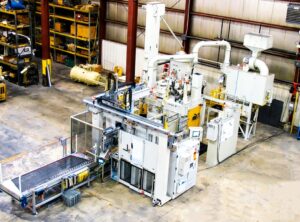
How to Troubleshoot Abrasive Blockage Faults in Shot Blasting Machines?
Abrasive blockage is a frequent fault in shot blasting machines, which occurs in the hopper, pipeline, or recovery system, leading to interrupted shot blasting operations. Common causes include: damp machine shot (agglomeration), mixing of large foreign objects, improper pipeline design (sharp bends, narrow diameter), and wear or blockage of the recovery system. Troubleshooting steps:
Locate the blockage position—check the hopper, feeding pipeline, recovery pipeline, and separator one by one.
- Handle the hopper blockage: clean the agglomerated abrasive manually or use a vibrator to break up the blockage, and dry the machine shot if it is damp to avoid re-agglomeration.
- Clear the pipeline blockage: disassemble the blocked pipeline, remove foreign objects and accumulated abrasives, and adjust the pipeline angle to 30-45° to ensure smooth abrasive flow.
- Inspect the recovery system: clean the separator screen, check the screw conveyor or vacuum suction device for wear or jamming, and repair or replace worn parts.
- Take preventive measures: install a drying device for the abrasive hopper, filter machine shot before feeding, and regularly clean the pipeline and recovery system to avoid repeated blockage. Proper handling of abrasive blockage can reduce downtime and protect the shot blaster’s internal components from damage.
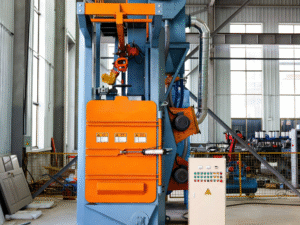
How to Troubleshoot Electrical System and Abnormal Noise/Vibration Faults?
Electrical system faults and abnormal noise/vibration are potential safety hazards in shot blasting machines, which may cause equipment damage or operator injury if not resolved promptly.
- For electrical system faults: common symptoms include failure to start, frequent power cuts, or component burnout. Common causes include: loose wiring, damaged power switch, burnt motor, or faulty sensor.
- Troubleshooting steps: first, cut off the total power supply, check the wiring for looseness or damage, and tighten or replace the wiring. Second, inspect the power switch, fuse, and motor—replace the faulty switch or fuse, and repair the motor if it is burnt (or replace it if necessary). Third, check the sensors (such as pressure gauge, flow meter) for faults, calibrate or replace them to ensure normal signal transmission.
- For abnormal noise/vibration faults: common causes include unbalanced impeller rotation, worn bearings, loose fasteners, and uneven workpiece placement.
- Troubleshooting steps: first, stop the machine and check the impeller for balance—replace worn blades or conduct dynamic balance detection. Second, lubricate or replace worn bearings to reduce friction noise. Third, tighten all fasteners (bolts, nuts) to avoid vibration caused by looseness. Fourth, adjust the workpiece placement to ensure uniform force on the shot blaster during shot blasting. After troubleshooting, run the machine idly for 3-5 minutes to confirm no abnormal noise or vibration before formal shot blasting.
Conclusion
Symptom-oriented troubleshooting ensures quick resolution of shot blaster faults.
For professional guidance on shot blasting machine troubleshooting and shot blaster maintenance,
contact us via email: [email protected]
 English
  Russian
  Spanish
  Portuguese
  French
  Indonesian
  Thai
Thai